Setting the game title
Set the title displayed in the game window.
Open Game Basic Settings
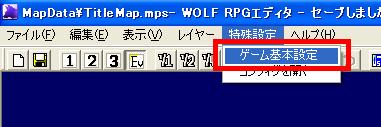
Click "Special Settings" in the menu, then click "Game Basic Settings".
Find the "Game Name" field
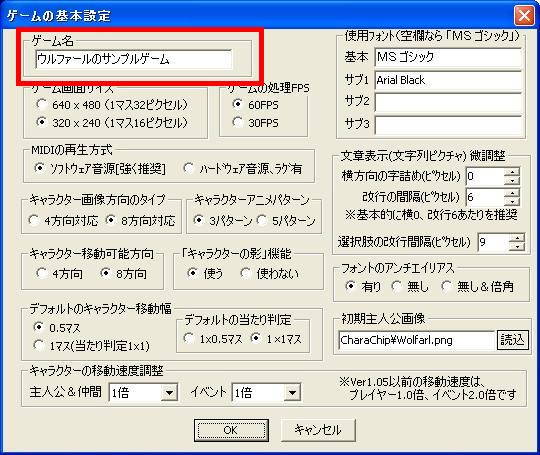
A new window called "Game Basic Settings" will appear. The content of the "Game Name" field highlighted in red is the text that will be displayed as the title. By default it shows "Wolfar's Sample Game".
Enter your title
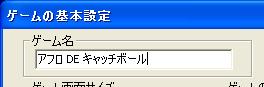
Now try changing it to a title you like. You can enter up to 19 full-width characters or 31 half-width characters. When done, click the OK button in the Basic Settings window. If the message 'Game information saved (your title)' appears, you're done.
Start the game
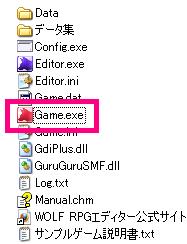
Click  to start Test Play, then press F8 on the keyboard, or launch "Game.exe" from the WOLF RPG Editor folder (see image).
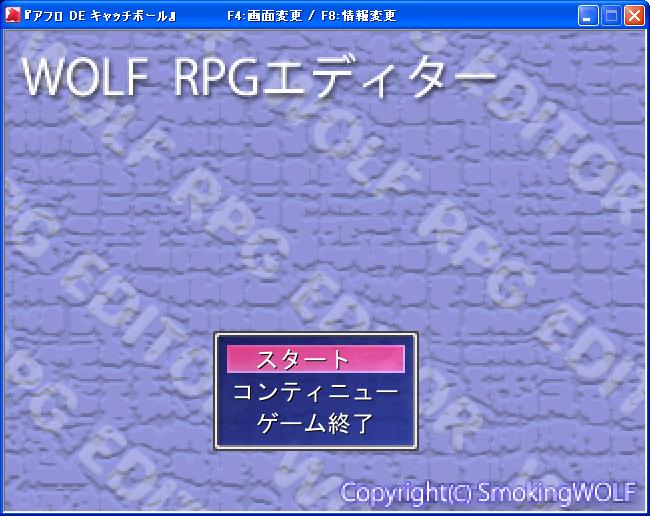
Confirm the title
Confirm that the game title has been set correctly.
※ This is a faithful translation of the original guide, with minor editorial additions (terminology notes, extra examples, beginner-friendly clarifications) and updated screenshots, while preserving the original intent and instructions.